Master Essential Software Skills for Creative & Professional Growth
Product Details
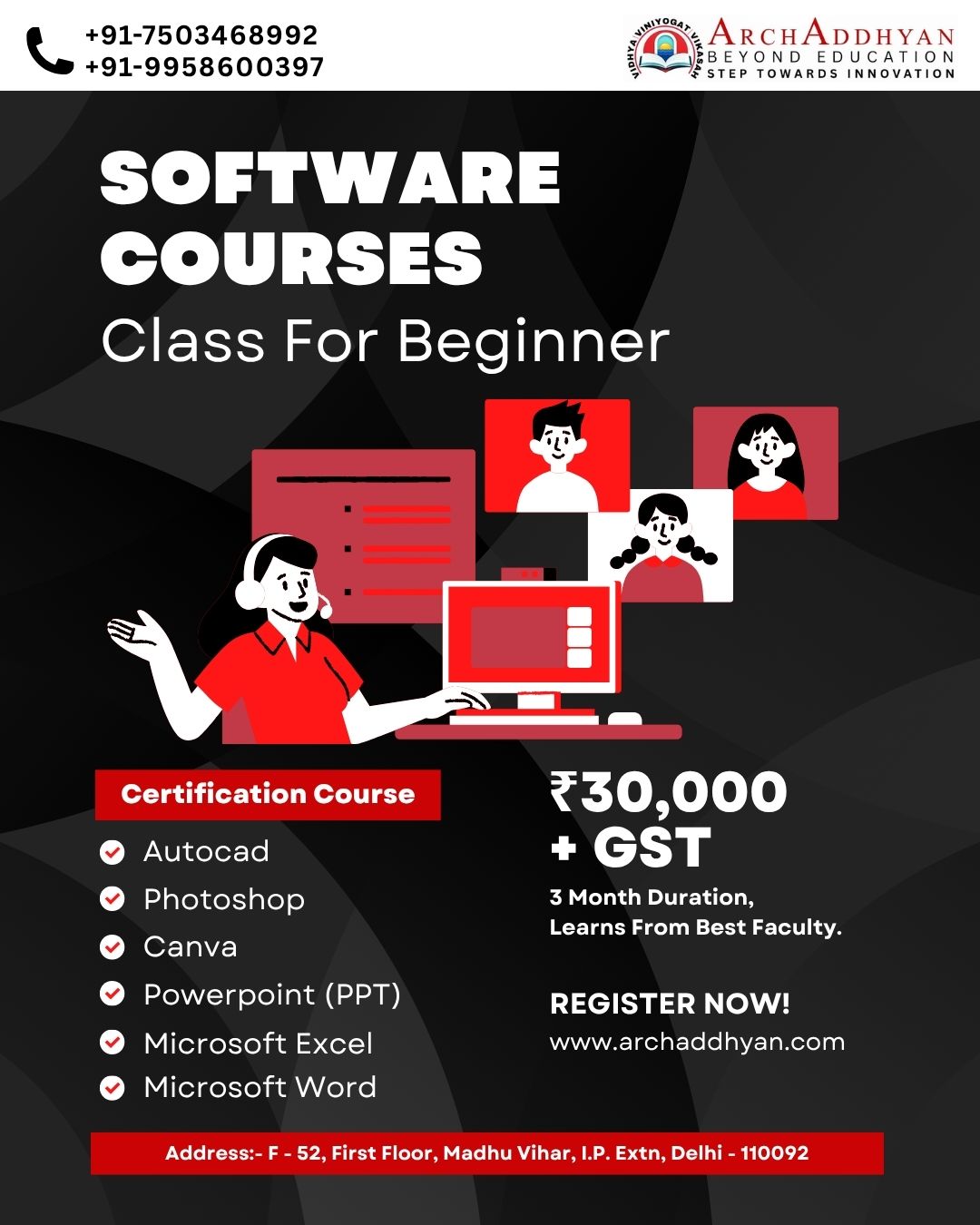
The program includes detailed practical training in AutoCAD, Adobe Photoshop, Canva, Microsoft PowerPoint, Microsoft Excel, and Microsoft Word with live exercises, guided assignments, and real-world applications. Students gain hands-on experience through practical learning sessions led by experienced faculty members.
This course is specially designed for school students, college students, beginners, office professionals, freelancers, and individuals who want to improve their technical efficiency and computer knowledge. The training structure helps learners understand software workflows, professional usage techniques, and industry-relevant applications in a simple and practical way.
Students will learn drafting and drawing basics in AutoCAD, creative designing and editing in Photoshop & Canva, professional presentation development in PowerPoint, productivity and data handling in Excel, and professional documentation formatting in Microsoft Word.
Key Benefits of the Course:
• Beginner-Friendly Learning Structure
• Practical & Industry-Oriented Training
• Hands-On Live Practice Sessions
• Creative & Technical Skill Development
• Professional Workflow Understanding
• Productivity & Office Management Skills
• Real-World Assignments & Exercises
• Expert Faculty Guidance & Mentorship
• Career-Oriented Certification Program
• Professional Skill Development Support
Course Duration: 3 Months
Course Fee: ₹30,000 + GST
Training Mode: Practical Classroom Learning
Certification: Professional Course Completion Certificate
Join ArchAddhyan and build the software skills needed for academic success, creative growth, office productivity, and professional career development.
The Software Certification Course by ArchAddhyan is a professionally designed training program created for students, beginners, and working professionals who want to develop strong computer and software skills for academic, creative, and professional growth. This 3-month course focuses on practical learning, real-world applications, and industry-oriented training to help learners become confident in using essential software tools.
The program provides complete hands-on training in AutoCAD, Adobe Photoshop, Canva, Microsoft PowerPoint, Microsoft Excel, and Microsoft Word. Each software module is taught through live practical sessions, guided exercises, and real project-based assignments to ensure students gain proper understanding and practical experience.
In the AutoCAD module, students learn drafting basics, drawing tools, layouts, and technical drawing concepts used in design and drafting industries. Photoshop and Canva training focuses on graphic designing, image editing, branding, poster creation, social media creatives, and presentation graphics. PowerPoint training helps students create impactful professional presentations with proper design and communication techniques.
The Microsoft Excel module focuses on productivity tools, formulas, data organization, reporting, and office workflow management, while Microsoft Word training covers professional documentation, formatting, report preparation, and smart office practices. The course is designed in a beginner-friendly structure so learners can easily understand concepts step-by-step while improving technical confidence and professional efficiency.
Key Highlights of the Program:
• Beginner to Professional Level Learning
• Practical & Industry-Oriented Training
• Live Software Practice Sessions
• Creative Designing & Editing Skills
• Technical Drafting Fundamentals
• Professional Presentation Development
• Productivity & Documentation Training
• Real Assignments & Practical Exercises
• Expert Faculty Guidance & Mentorship
• Professional Certification After Completion
This course is ideal for students, freelancers, office professionals, and individuals who want to improve their computer skills, creative abilities, productivity, and software expertise for better career opportunities and professional growth.
Course Duration: 3 Months
Course Fee: ₹30,000 + GST
Certification: Professional Course Completion Certificate
Join ArchAddhyan and take the first step towards becoming digitally skilled, professionally confident, and career-ready with modern software training.
Stage 01 – Registration & Enrollment
Complete your registration process and secure your seat in the Software Certification Course through the initial enrollment payment.
Stage 02 – Foundation Software Training
Covers Computer Fundamentals, Microsoft Word, PowerPoint, and basic productivity skill development with practical learning sessions.
Stage 03 – Creative & Technical Software Learning
Includes AutoCAD drafting basics, Photoshop designing, Canva creative tools, and hands-on practical assignments.
Stage 04 – Advanced Practice & Professional Workflow
Focused on advanced exercises, presentation development, productivity enhancement, documentation skills, and workflow understanding.
Stage 05 – Final Assessment & Certification
Complete practical evaluations, final assignments, project submissions, and receive your Professional Course Completion Certificate.
Refund Policy
- Registration fees once paid are non-refundable and non-transferable under any circumstances.
- Course fees paid for any module or stage will not be refunded after the commencement of classes.
- Students who discontinue the course midway will not be eligible for any refund of the paid amount.
- In case of batch rescheduling by the institute, students will be adjusted in the upcoming batch without additional charges.
- Course access, study materials, recorded sessions, and resources provided during the program are non-refundable.
- Any request related to payment disputes must be submitted officially within 3 working days of the payment date.
- The institute reserves the right to cancel or postpone a batch due to unavoidable circumstances. In such cases, alternative batch options will be provided.
- Fees once paid cannot be adjusted against any other course or service unless approved by the management.
- Certification will only be provided after successful completion of the course and clearance of all pending dues.
- By enrolling in the Software Certification Course, the student agrees to all course terms, payment stages, and refund policies mentioned by the institute.
Shipping Policy
- The Software Certification Course is primarily delivered through offline and/or online educational sessions. No physical product shipping is involved in standard course enrollment.
- Any study materials, digital resources, assignments, presentations, PDFs, or recorded content provided during the course will be shared electronically through email, WhatsApp, cloud links, or learning platforms.
- In case physical study materials, certificates, or course kits are provided, the delivery timeline may vary between 7–15 working days depending on the location.
- The institute is not responsible for delays caused by courier companies, natural conditions, public holidays, or unforeseen circumstances.
- Students must provide accurate contact details and delivery addresses for successful dispatch of physical materials, if applicable.
- Any additional shipping or courier charges for physical documents, certificates, or materials outside the standard service area may be charged separately.
- Damaged or undelivered shipments must be reported within 48 hours of delivery notification for support and resolution.
- Digital course access details and communication credentials are generally shared within 24–48 hours after successful enrollment and payment verification.
- The institute reserves the right to modify shipping timelines and delivery methods whenever necessary.
- By enrolling in the Software Certification Course, students agree to the shipping and delivery terms mentioned above.
Course Modules:
Select AllThe Software Certification Course by ArchAddhyan is a professionally designed training program created for students, beginners, and working professionals who want to develop strong computer and software skills for academic, creative, and professional growth. This 3-month course focuses on practical learning, real-world applications, and industry-oriented training to help learners become confident in using essential software tools.
The program provides complete hands-on training in AutoCAD, Adobe Photoshop, Canva, Microsoft PowerPoint, Microsoft Excel, and Microsoft Word. Each software module is taught through live practical sessions, guided exercises, and real project-based assignments to ensure students gain proper understanding and practical experience.
In the AutoCAD module, students learn drafting basics, drawing tools, layouts, and technical drawing concepts used in design and drafting industries. Photoshop and Canva training focuses on graphic designing, image editing, branding, poster creation, social media creatives, and presentation graphics. PowerPoint training helps students create impactful professional presentations with proper design and communication techniques.
The Microsoft Excel module focuses on productivity tools, formulas, data organization, reporting, and office workflow management, while Microsoft Word training covers professional documentation, formatting, report preparation, and smart office practices. The course is designed in a beginner-friendly structure so learners can easily understand concepts step-by-step while improving technical confidence and professional efficiency.
Key Highlights of the Program:
• Beginner to Professional Level Learning
• Practical & Industry-Oriented Training
• Live Software Practice Sessions
• Creative Designing & Editing Skills
• Technical Drafting Fundamentals
• Professional Presentation Development
• Productivity & Documentation Training
• Real Assignments & Practical Exercises
• Expert Faculty Guidance & Mentorship
• Professional Certification After Completion
This course is ideal for students, freelancers, office professionals, and individuals who want to improve their computer skills, creative abilities, productivity, and software expertise for better career opportunities and professional growth.
Course Duration: 3 Months
Course Fee: ₹30,000 + GST
Certification: Professional Course Completion Certificate
Join ArchAddhyan and take the first step towards becoming digitally skilled, professionally confident, and career-ready with modern software training.
Stage 01 – Registration & Enrollment
Complete your registration process and secure your seat in the Software Certification Course through the initial enrollment payment.
Stage 02 – Foundation Software Training
Covers Computer Fundamentals, Microsoft Word, PowerPoint, and basic productivity skill development with practical learning sessions.
Stage 03 – Creative & Technical Software Learning
Includes AutoCAD drafting basics, Photoshop designing, Canva creative tools, and hands-on practical assignments.
Stage 04 – Advanced Practice & Professional Workflow
Focused on advanced exercises, presentation development, productivity enhancement, documentation skills, and workflow understanding.
Stage 05 – Final Assessment & Certification
Complete practical evaluations, final assignments, project submissions, and receive your Professional Course Completion Certificate.
Refund Policy
- Registration fees once paid are non-refundable and non-transferable under any circumstances.
- Course fees paid for any module or stage will not be refunded after the commencement of classes.
- Students who discontinue the course midway will not be eligible for any refund of the paid amount.
- In case of batch rescheduling by the institute, students will be adjusted in the upcoming batch without additional charges.
- Course access, study materials, recorded sessions, and resources provided during the program are non-refundable.
- Any request related to payment disputes must be submitted officially within 3 working days of the payment date.
- The institute reserves the right to cancel or postpone a batch due to unavoidable circumstances. In such cases, alternative batch options will be provided.
- Fees once paid cannot be adjusted against any other course or service unless approved by the management.
- Certification will only be provided after successful completion of the course and clearance of all pending dues.
- By enrolling in the Software Certification Course, the student agrees to all course terms, payment stages, and refund policies mentioned by the institute.
Shipping Policy
- The Software Certification Course is primarily delivered through offline and/or online educational sessions. No physical product shipping is involved in standard course enrollment.
- Any study materials, digital resources, assignments, presentations, PDFs, or recorded content provided during the course will be shared electronically through email, WhatsApp, cloud links, or learning platforms.
- In case physical study materials, certificates, or course kits are provided, the delivery timeline may vary between 7–15 working days depending on the location.
- The institute is not responsible for delays caused by courier companies, natural conditions, public holidays, or unforeseen circumstances.
- Students must provide accurate contact details and delivery addresses for successful dispatch of physical materials, if applicable.
- Any additional shipping or courier charges for physical documents, certificates, or materials outside the standard service area may be charged separately.
- Damaged or undelivered shipments must be reported within 48 hours of delivery notification for support and resolution.
- Digital course access details and communication credentials are generally shared within 24–48 hours after successful enrollment and payment verification.
- The institute reserves the right to modify shipping timelines and delivery methods whenever necessary.
- By enrolling in the Software Certification Course, students agree to the shipping and delivery terms mentioned above.